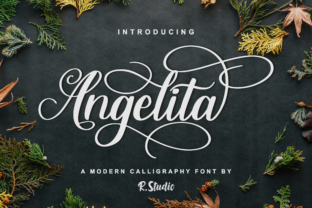
Angelita: A Modern Calligraphy Font
There I was, staring at a blank brand board, trying to find the right visual voice for a small artisanal café. The client wanted something warm, inviting, and slightly whimsical—something that felt handcrafted but still professional. That’s when I pulled up Angelita, a modern calligraphy font with a classic look and a dancing baseline.
Visual Characteristics and Personality
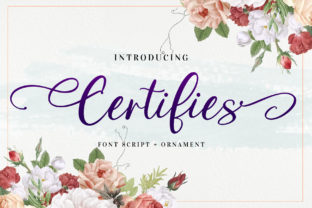
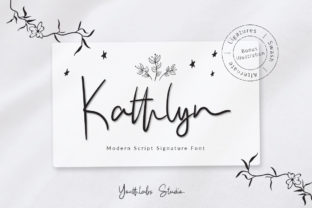
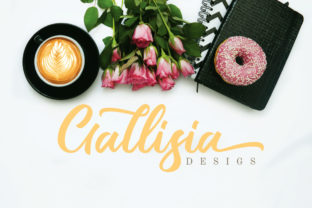
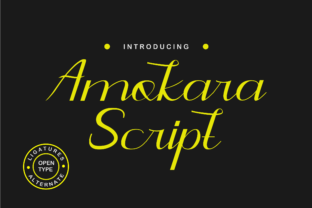
Angelita has a graceful flow that feels both timeless and contemporary. Its letterforms are fluid, with subtle swashes and a slight slant that gives it a soft, handwritten feel. The baseline isn’t straight—it dances just enough to add character without being distracting. It’s like a well-timed pause in a conversation, adding elegance without overdoing it.
The font carries a sense of sophistication, perfect for brands that want to convey a touch of refinement without being too formal. It’s not overly ornate, which makes it versatile across different design contexts. Whether you’re working on a logo, packaging, or a website header, Angelita can hold its own while complementing other elements.
Real-World Testing: From Logo to Social Media
I first tested Angelita on a logo concept for the café. The name was simple, so I used the font as the primary typeface. It looked great, but I quickly realized that it worked best as a display font rather than a body text. When I tried it on a business card, it added a personal touch, making the card feel more like a hand-written note than a printed piece.
On a packaging mockup, Angelita stood out against a clean, minimalist background. It gave the product a bespoke feel, which aligned perfectly with the café’s brand identity. I also used it on a social media layout, where it caught the eye without overwhelming the visuals. It paired well with a sans serif font for the supporting text, creating a balanced and cohesive look.
Strengths and Limitations in Branding
Angelita excels in branding projects that benefit from a personal, artistic touch. It’s ideal for logos, headlines, and short phrases where readability is key. However, it’s not the best choice for long paragraphs or small text sizes. In those cases, it can become difficult to read, especially in print or on low-resolution screens.
For commercial use, Angelita works well in design assets like posters, flyers, and editorial layouts. But if you're aiming for a more formal corporate look, you might want to pair it with a serif or sans serif font for contrast. It’s also important to check the licensing terms before using it in client work or commercial products.
Font Pairing and Design Applications
When pairing Angelita with other fonts, I found that it pairs well with a clean, modern sans serif. This creates a nice balance between the elegant script and the structured typography. For a more traditional look, a serif font like Playfair Display or Georgia can add depth and contrast.
Angelita also works well with other script or handwritten fonts, especially when used as an accent. It can highlight key elements in a design without overpowering the overall composition. For web design, it’s best to use it for headings or hero sections, where its visual appeal can shine without compromising readability.
Practical Tips for Using Angelita
If you’re considering using Angelita in your next project, test it in different contexts before finalizing. Try it on a shop sign, product label, or printed card to see how it performs in real-world scenarios. Pay attention to how it looks in both light and dark modes, especially if it’s going to be used on a website or digital platform.
Also, take advantage of any alternates, ligatures, or swashes included in the font. These can add variety and help you create a more dynamic design. Make sure to check the multilingual support and file formats available, as this can affect how the font works across different platforms and projects.
Finally, always review the commercial license before using Angelita in client work. Some fonts have restrictions on resale, modification, or embedding, so it’s important to understand what you’re allowed to do with the font before integrating it into your design workflow.